Member management
View member status and owners, and follow up on renewals and absent members.
RIAN CenterOps
Manage members, passes, check-ins, classes, reservations, revenue and customer relationships in one workflow.
Gym · Personal training · Pilates · Yoga · Taekwondo · Jiu-jitsu / Martial arts · Boxing · Golf · Other fitness facilities
Public sign-up is being prepared. Review the features and getting-started process below.
Keep day-to-day operational records connected around each member.
View member status and owners, and follow up on renewals and absent members.
Create time- and visit-based products and manage member passes.
Record QR or manual check-ins and review attendance records.
Manage classes and member bookings in one view.
Review pass sales, payments, refunds and reports.
See members to contact and actions to take. SMS delivery is being prepared.
Support mobile passes and member-app workflows.
See members and tasks requiring attention on the dashboard.
Read-only screenshots from the actual product using fictional center data. You cannot change data or send messages in this demo.
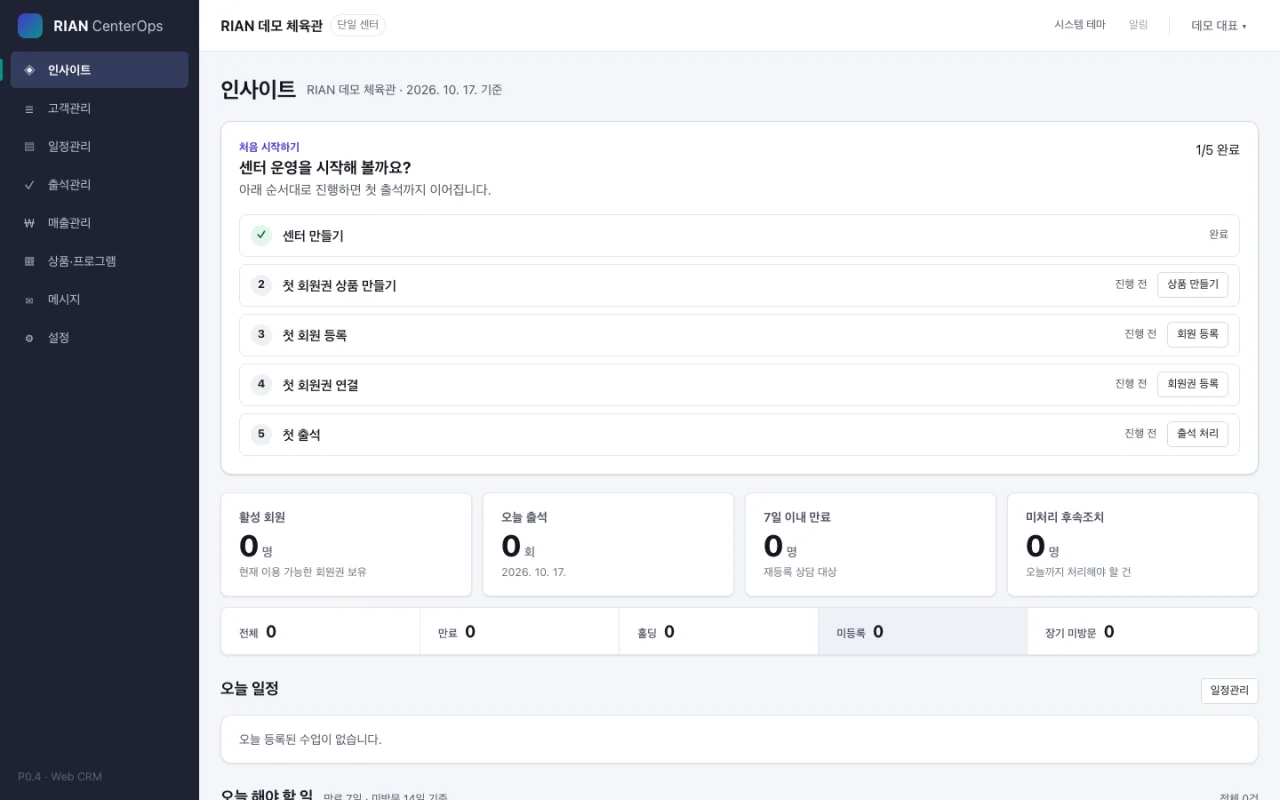
1 / 5 · Dashboard
See active members, check-ins, upcoming expirations, and today's tasks.
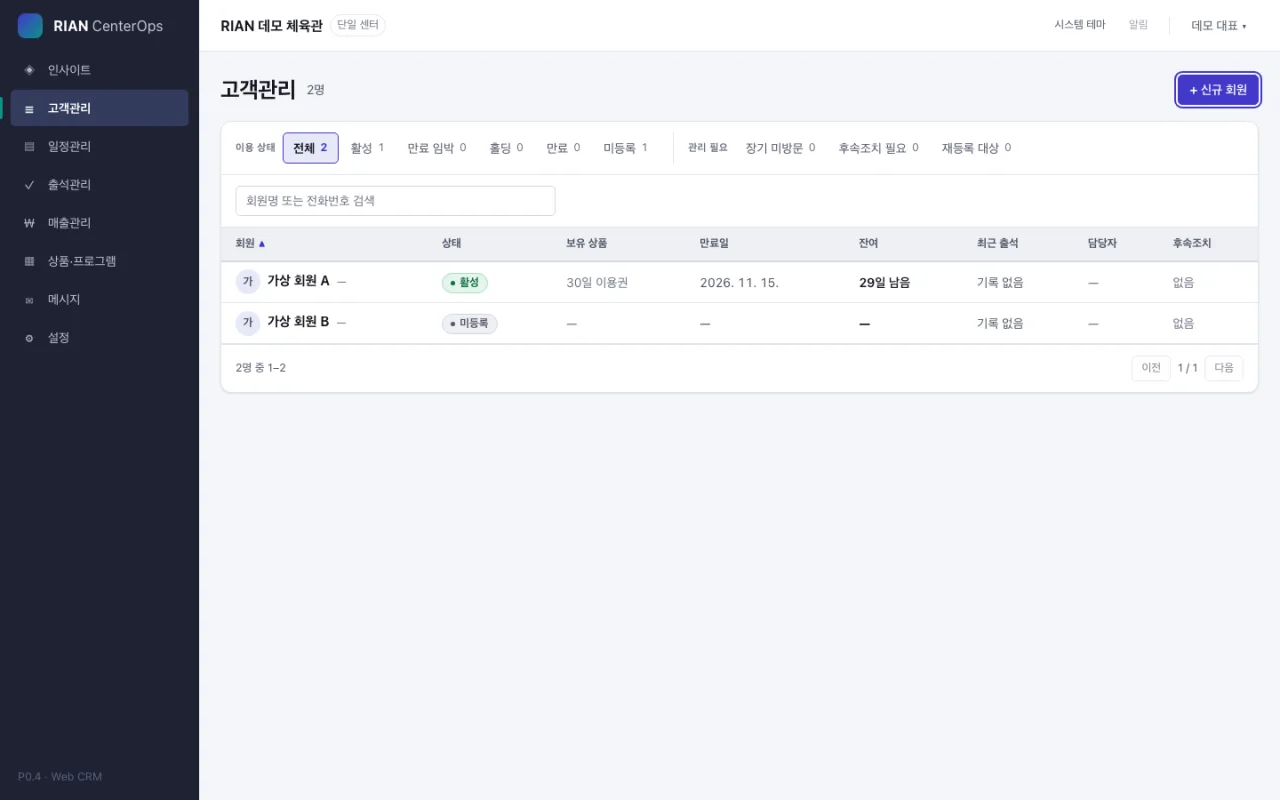
Review pass status and follow-up lists together.
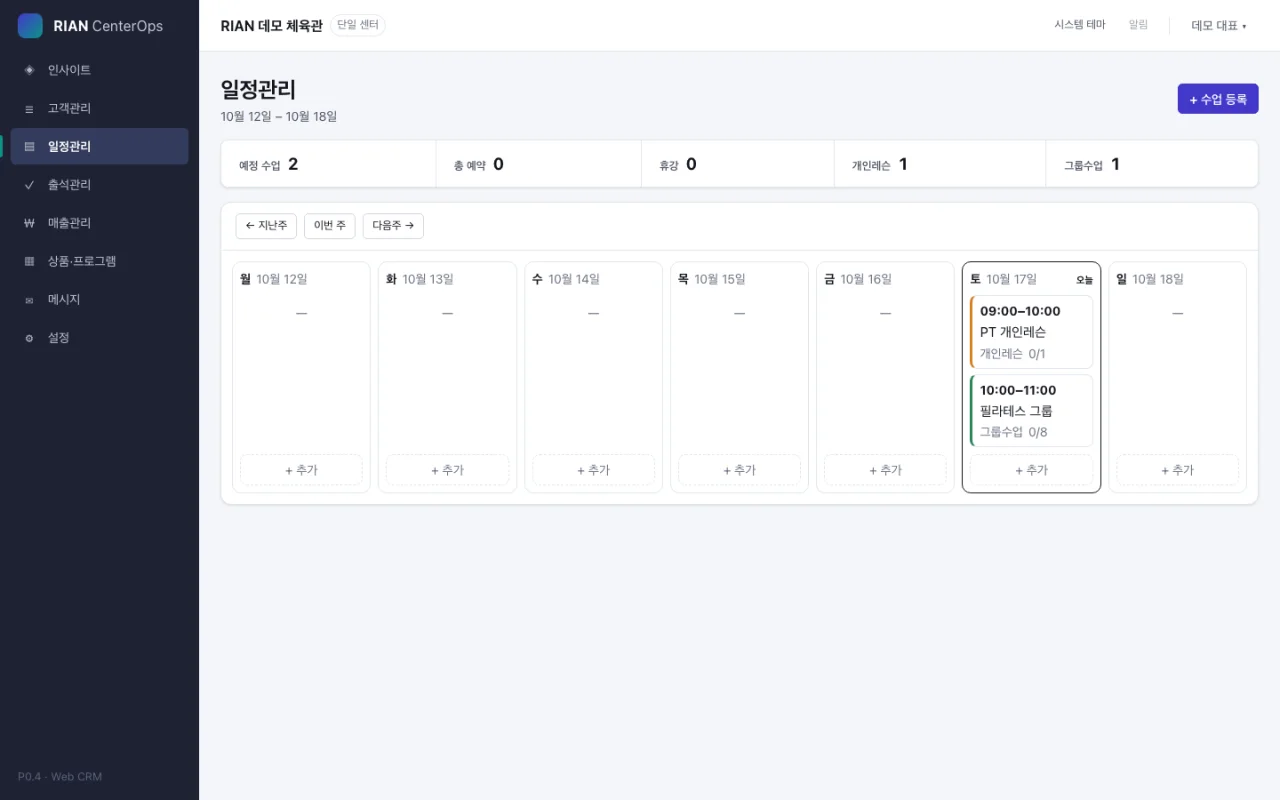
Review weekly class schedules and reservations.
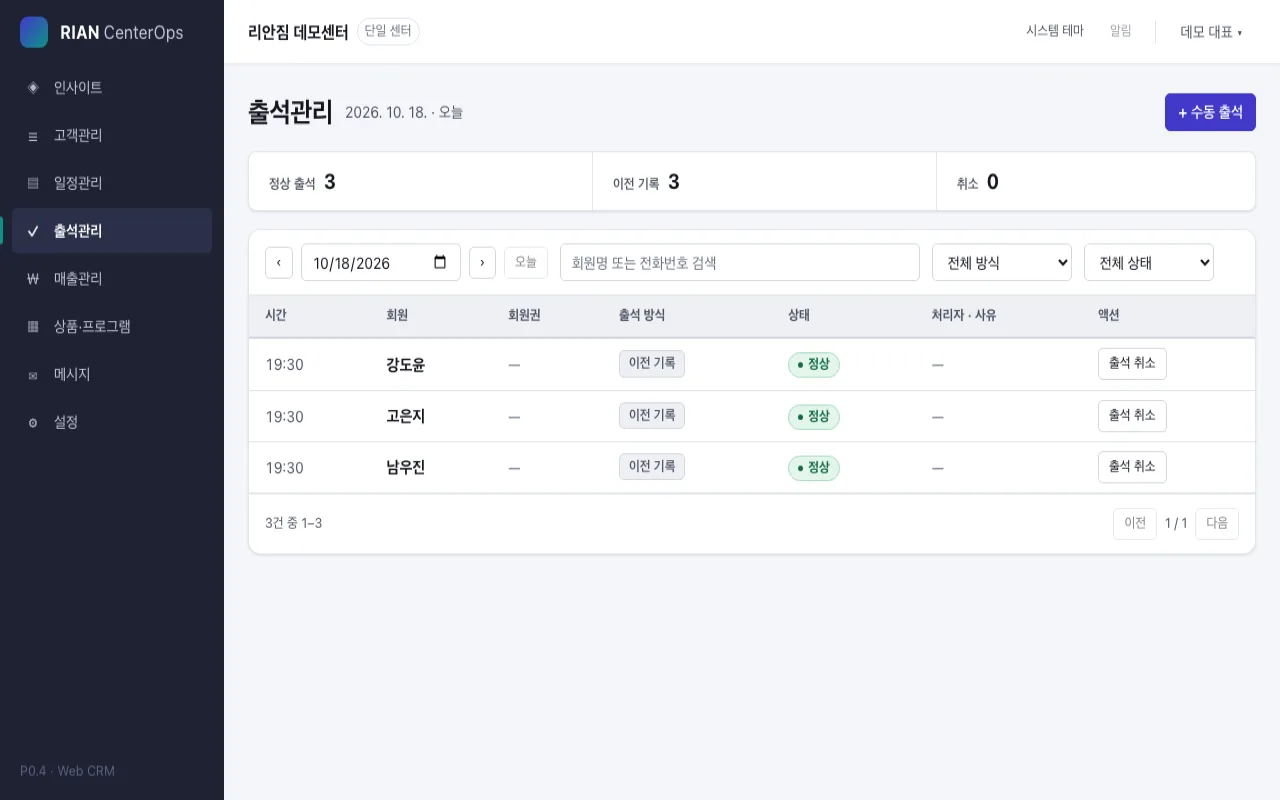
Explore check-in records by date and status.
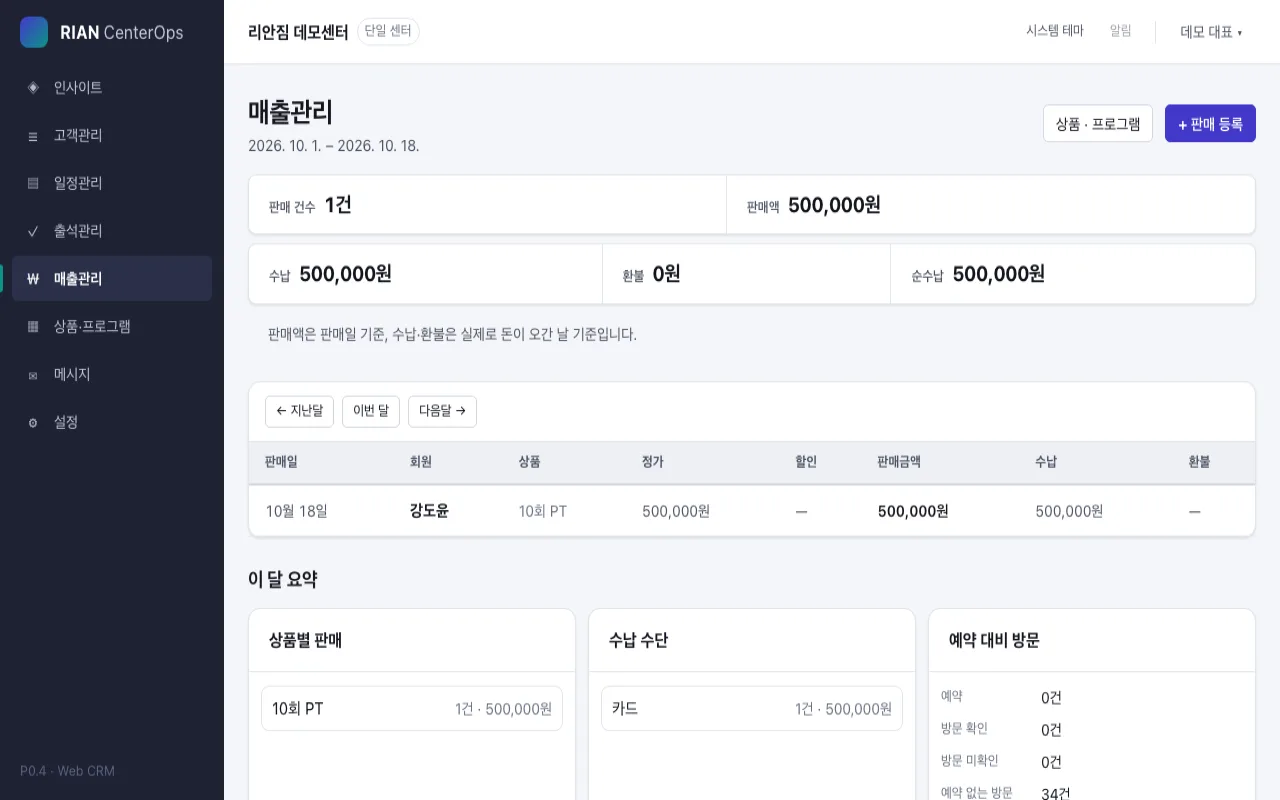
Review membership sales, amounts received, and refunds.
Create an owner account and center, register products, then add members, memberships and the first attendance records. The product guides you in the same order.
Public registration is being prepared. Send an adoption inquiry if you want early access.
These match the in-product setup guide. Each step is completed using real registered data.
Create an owner account and your center.
Register a product to sell.
Save the new member's details.
Connect a membership pass to the member.
Record the first visit.
This is the currently confirmed free scope. Paid pricing and payment methods will be announced once finalized.
Basic plan for managing your center yourself
We will announce prices and payment methods when finalized.
The service is in early preview. Until sign-ups open, explore the demo or ask about early access.
Already have an account? Log in to CenterOpsto continue.
Gyms, PT, Pilates, yoga, taekwondo, jiu-jitsu/martial arts, boxing, golf, and other fitness facilities.
No. Members, products and attendance can be managed on the web. Tablets are optional for QR check-ins.
One center, up to 50 active members, membership management, passes, basic attendance, and basic staff/device access. Free registration timing will be announced separately.
Mobile member passes and member-app features are available. The general release schedule will be announced later.
Members can scan mobile passes at a center tablet. Administrators can also record attendance on the web.
Individual member registration is currently supported. Bulk migration is being prepared; contact us to discuss migration needs.
Yes. Invite staff and set role-appropriate access.
No firm release date is set. Updates on free registration and readiness will appear here.
Use the inquiry link below and tell us how your center operates and which functions you need.
Explore the screens and the Free plan, then review how to begin.